

Reserved seating is one of the most powerful tools a venue can use to create a better event experience. When attendees can choose their exact seats ahead of time, entry runs smoother, pricing becomes more strategic, and capacity is easier to control.
If you’re evaluating seat reservation software in 2026, several platforms consistently come up in research for theaters, performing arts centers, amphitheaters, seated festivals, and college campuses. We’ve rounded up eight of the most commonly considered reserved seating ticketing platforms — along with what to look for — to help you choose the right fit for your event.
Comparisons in this article are based on publicly available documentation, third-party reviews, and general product positioning. Descriptions reflect commonly referenced features and use cases rather than definitive assessments. Actual capabilities and pricing may vary by configuration, event type, or region. Contact each vendor directly to confirm current details.
Best Reserved Seating Ticketing Software Overview
The table below provides a high-level snapshot of seat map functionality and publicly listed pricing for each platform. Information reflects publicly available sources as of early 2026 and may vary by configuration or plan.
8 Best Reserved Seating Ticketing Software Platforms
If you’re researching the best reserved seating ticketing software, these are the platforms that most often come up in the conversation. Below, we break down how each handles seat maps, pricing, and assigned seating so you can compare them side by side. Pricing is based on publicly available information as of early 2026.
1. FreshTix
At FreshTix, we built our seat reservation software for events that require precise seating control. Organizers can create fully customizable seat maps, from traditional theater layouts to table seating for galas and flexible configurations for non-traditional venues.
With real-time inventory updates, section-based pricing, and mobile ticket delivery, our platform helps seated events run smoothly from checkout through entry.
Key Features:
-
Custom seating chart creator for theaters, tables, yards, parking lots, and more
-
Price group management by seat, section, or row
-
Ticket hold codes to create, pause, resume, or update holds
-
Real-time inventory updates to prevent double booking
-
Mobile ticket delivery for smartphone or desktop access
-
Box office printing with real-time seat selection at the door
-
Ticket scanning for smooth reserved seating entry
Pricing:
FreshTix pricing starts at $1.75 per ticket plus a 3.0% credit card processing fee. Free events are always free, and organizers can start a free trial with no credit card required.
2. TicketSpice
TicketSpice is a ticketing software that offers reserved seating functionality through a drag-and-drop interactive seat map builder that supports section-based layouts and mixed ticket types within the same event. The platform’s seating tools allow organizers to configure pricing tiers, assign specific seats, and manage holds for groups or VIP areas.
Key Features:
-
Drag-and-drop interactive seating chart builder
-
Mixed reserved and general admission areas within the same event
-
VIP table configurations and social distancing pod layouts
-
Multiple pricing tiers by section, seat type, or ticket category
-
Seat view preview so attendees can see sightlines before purchasing
-
Seat holds with expiration dates and pool holds for group reservations
-
Mobile-optimized seat selection during checkout
Pricing:
Pricing is $0.99 per ticket plus 2.9% and $0.30 for credit card processing. Tickets priced under $5 drop to $0.49 per ticket. No monthly fees or contracts apply.
3. Purplepass
Purplepass is an event ticketing platform that supports reserved seating through graphical seating maps. Organizers can configure sections, rows, and assigned seats for concerts, performing arts venues, conventions, and festivals. The platform’s seating tools are designed to handle events with structured layouts and varying ticket tiers across sections.
Key Features:
-
True-to-scale graphical seat maps with color-coded sections
-
Obstructed and partial-view seat indicators
-
Custom messages on individual seats for VIP or special notes
-
Venue preview photos integrated into seat selection
-
Support for rows, tables, booths, and combination layouts
-
No added charge for seat map builds or box office transactions, per public pricing
-
AWS infrastructure benchmarked at 50,000 transactions per minute, per platform documentation
-
Integrations with Mailchimp, Constant Contact, WordPress, and Zapier
Pricing:
For-profit event pricing is 2.5% plus $0.99 per ticket. Nonprofits pay 2.0% plus $0.99 per ticket. According to public pricing documentation, there are no fees for seat map builds, box office sales, comp tickets, or account setup.
4. Eventcube
Eventcube is a ticketing and event management platform that supports reserved seating through integration with Seats.io. Organizers can implement interactive seat maps for assigned seating events, configuring sections, rows, and seat-level pricing while maintaining Eventcube’s branded checkout experience.
Key Features:
-
Reserved seating enabled via Seats.io integration
-
Section- and seat-level configuration through interactive seat maps
-
White-label ticketing with customizable branding across tickets and emails
-
Configurable checkout flow
-
Real-time reporting and analytics
Pricing:
Pricing tiers include a free Starter plan with a 5% transaction fee, a Pro plan at $99 per month with a 3% fee, and an Enterprise plan with custom pricing. Reserved seating is available through a third-party integration with Seats.io, which requires a separate account and event keys per platform documentation.
5. Ticket Tailor
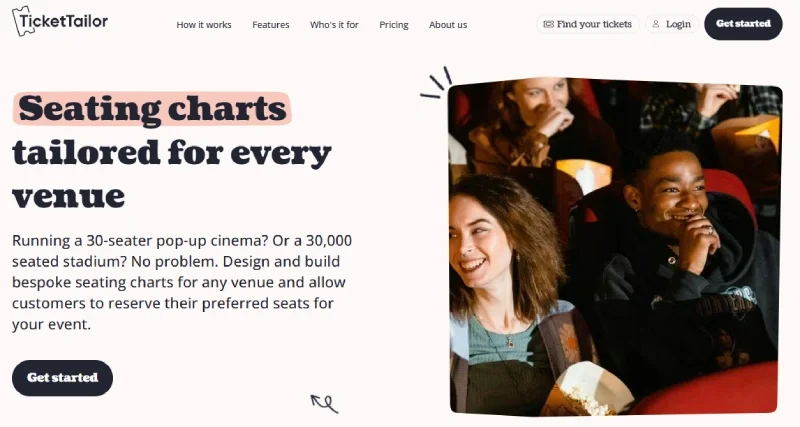
Ticket Tailor is a UK-based, B Corp-certified ticketing platform that supports reserved seating through a customizable seating chart builder. Organizers can configure tables, booths, bar layouts, and traditional row seating, with dynamic pricing options and orphan seat prevention built into the chart tools. The platform holds a 4.9 out of 5 from 500 Capterra reviews, with reviewers commonly citing low cost, 24/7 human support, and ease of use.
Key Features:
-
Fully customizable seating chart builder with tables, booths, and bar layouts
-
Dynamic pricing within the chart, supporting multiple ticket types per seat
-
Orphan seat prevention to avoid single unsellable gaps between reservations
-
Accessibility seating options built into chart configuration
-
Compatible with time slot ticketing for timed entry events
-
24/7 human support with a publicly documented average response time under two minutes
-
50% discount for charities and low-price tickets
Pricing:
Pricing options include $0.85 per ticket, pay-as-you-sell or bulk credits starting from $0.30 per credit. Free events are free up to 5,000 tickets per year. Payment processing fees are separate through Stripe, PayPal, or Square.
6. ThunderTix
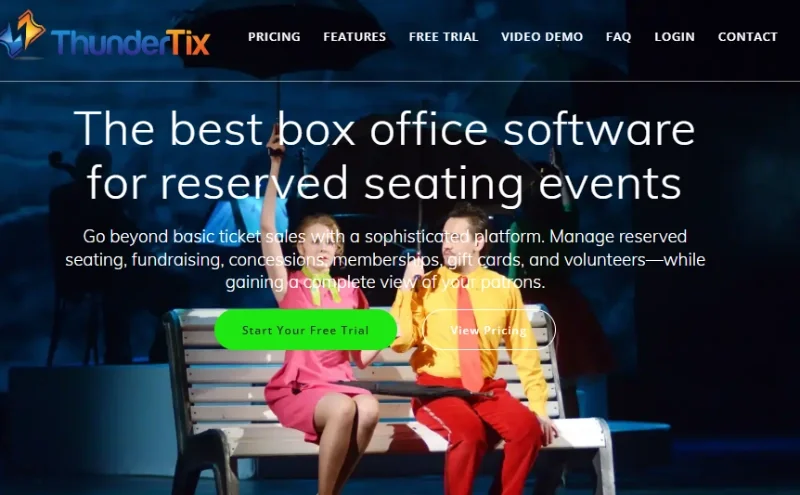
ThunderTix is a box office and ticketing platform founded in 2000, with reserved seating as a core focus. Seating charts are custom-built by the ThunderTix team to mirror each venue's actual layout, including arched rows, balconies, and in-the-round configurations. The platform holds a 4.8 out of 5 from 270 Software Advice reviews and was named a FrontRunner in 2026, with reviewers commonly citing support quality, ease of use, and reliability.
Key Features:
-
Custom seating charts built by ThunderTix staff to mirror actual venue layout, including arched rows, balconies, bars, and in-the-round configurations per platform documentation
-
ADA-compliant, accessible and companion seating with customizable labels
-
One-click seat exchanges, section blocks, and real-time buyer name display on the chart
-
Season subscriptions and flex passes with automated same-seat renewal
-
Volunteer management, fundraising tools, and donor tracking
-
Concession and merchandise sales at checkout or via box office
-
iOS and Android scanning apps plus handheld Zebra device support
-
24/7 human support; White Glove plan includes full event setup and page design per platform documentation
Pricing:
Reserved seating pricing is $1.25 per ticket with a $25 monthly base that includes 20 ticket credits. Per platform documentation, a one-time chart build fee of $0.55 per seat applies with a $250 minimum. Nonprofits qualify for $0.40 per seat with a $175 minimum. No contracts are required.
7. Yapsody
Yapsody is a ticketing platform serving theaters, casinos, hospitality venues, schools, nonprofits, and festivals. Reserved seating tools include interactive seat mapping, best available seat logic, view from seat previews, and table seating for banquet and dinner-style events. The platform holds a 4.5 out of 5 from 69 Capterra reviews, with users commonly referencing affordable nonprofit pricing and responsive customer service.
Key Features:
-
Interactive seat mapping tool for designing and managing reserved layouts
-
Best available seat logic that automatically places attendees near preferred venue areas, per platform documentation
-
View from seat preview before checkout
-
Orphan seat prevention to maximize usable capacity
-
Table seating for banquets, comedy shows, and dinner events
-
White-label ticketing with full brand customization
-
Mobile box office app for issuing, refunding, and exchanging tickets on-site
-
50% rebate for nonprofit events; free events have no platform fees per public pricing
Pricing:
Specific per-ticket pricing is not listed publicly. Organizers are directed to contact the sales team or book a demo for pricing details. Per platform documentation, over 14 payment gateways are supported, including Stripe, PayPal, and Square. Nonprofit events receive a 50% ticketing rebate, and free events carry no platform fees.
8. AudienceView
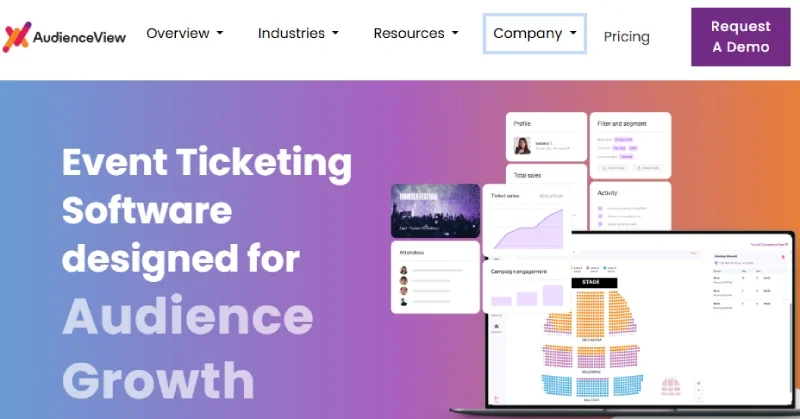
AudienceView is an event commerce platform serving over 2,400 venues globally. Reserved seating tools include pick-a-seat interactive venue maps, unlimited ticket types and price tiers, and real-time seat hold updates without rebuilding events. The Capterra rating for AudienceView Unlimited is 3.2 from 11 reviews, with some reviewers noting a learning curve and variability in support experience. Pricing is not listed publicly and requires a demo request.
Key Features:
-
Pick-a-seat interactive venue maps for attendee seat selection during checkout
-
Unlimited ticket types and price tiers, including VIP, GA, accessible, and limited-view per platform documentation
-
Real-time price tier and seat hold updates without rebuilding events
-
Flexible package and subscription tools with automated same-seat renewal
-
White-label storefront with full patron-facing brand control
-
Built-in CRM with patron profiles including purchase history and donation records
-
Integrated marketing platform with access to 2.9 million live-event consumers per platform documentation
-
XCover ticket protection available during checkout
Pricing:
Pricing is not listed publicly and requires a demo request.
What To Look For in Reserved Seating Ticketing Platforms
Reserved seating platforms vary widely in how they handle seat maps, pricing tiers, and inventory control. When evaluating options, organizers typically look for accurate seat selection, flexible pricing, and operational control across both online and box office sales.
Here are the key features to consider when evaluating reserved seating ticketing software for your venue or event.
Interactive Seat Selection
A strong reserved seating system should make it easy for attendees to see exactly what they’re purchasing. Clear visual layouts reduce confusion at checkout and minimize disputes on event day.
-
Clickable seat maps showing real-time availability
-
Mobile-optimized seat selection from smartphones or tablets
-
Zoom and pan functionality for larger or complex venue layouts
Capacity and Section Controls
Managing inventory at the seat level gives organizers control that general admission ticketing simply cannot match. The ability to block, hold, or organize seats by section keeps operations clean from the moment tickets go on sale through the final scan at the door.
-
Seat-level inventory management to prevent double booking
-
Section-based organization for distinct pricing zones or access levels
-
Seat hold and block tools for staff, sponsors, press, or group reservations
Pricing by Section or Seat
Not every seat in a venue carries the same value, and your ticketing platform should reflect that. Flexible pricing tools let organizers capture more revenue from premium areas while keeping accessible options available for broader audiences.
-
Tiered pricing by section, row, or seat type
-
Support for premium sections, VIP areas, and discounted designations
-
Dynamic pricing options that adjust rates based on timing or demand
Seat Holds and Allocations
Reserved seating events almost always require holding back a portion of inventory before tickets go public. Whether it's press, sponsors, accessibility needs, or season ticket holders, a platform that handles holds cleanly saves organizers significant manual work.
-
Temporary holds for groups, sponsors, or staff
-
Reserved blocks for season ticket holders or accessibility seating
-
Expiration timers on holds to release unsold seats back to general inventory

Frequently Asked Questions
What is the best reserved seating ticketing software?
The best reserved seating ticketing software depends on your venue type, event complexity, and pricing needs. FreshTix supports custom seating charts, section-based pricing, ticket hold codes, and mobile ticket delivery at $1.75 per ticket, making it a strong option for organizers managing seated events.
What is the difference between reserved seating and general admission ticketing?
Reserved seating assigns each attendee a specific seat before arrival. General admission allows attendees to choose any available spot on the day of the event. Reserved seating gives organizers more control over capacity, pricing tiers, and the overall attendee experience.
Can reserved seating work for festivals or outdoor venues?
Yes. Several platforms on this list support non-traditional layouts including tables, yards, parking lots, and open-air sections.
Does reserved seating ticketing cost more?
Reserved seating pricing varies by platform. Some providers structure fees around ticket volume, subscription tiers, or additional seat map functionality. FreshTix includes reserved seating features within its standard pricing at $1.75 per ticket plus a 3.0% credit card processing fee.
Why FreshTix Is Built for Reserved Seating Events
Event organizers managing seated venues need a platform that handles real-time seat selection, flexible pricing, and smooth on-site check-in. FreshTix is built around those exact needs, with tools designed for venues of all sizes and layouts.
The reserved seating tools support custom seat map designs for theaters, table layouts for dinner events, and pricing by section or seat. Attendees select seats on mobile or desktop, and organizers get real-time inventory updates to prevent double booking. If you are still weighing your overall options, the best ticket-selling platforms guide covers a broader comparison of ticketing tools across event types.
FreshTix reserved seating works for:
-
Theaters and performing arts venues
-
Festivals and amphitheaters with assigned seating sections
-
Dinner shows and events with table-style layouts
-
Any event that needs assigned seats, section pricing, and mobile ticket delivery
Sell tickets online with FreshTix and set up your reserved seating today.
How to Choose the Best Ticketing Platform for Events: A Complete Organizer's Guide 10 Event Trends Shaping the Industry in 2026